Documents
Create a new Promotion
Last Modified Dec 9, 2025
- Navigate to Pricing > Promotions in the main menu.
- Click Create.
- Enter the promotion Title.
- Select the Currency and enter the Amount that will define the promotion.
- Enable/Disable the promotion. It will typically start as disabled until it is completed.
- Select the products that will participate in the promotion.
- Use the products Selector to define the scope of the search. Available options are:
- Selected
- Not selected
- All
- Use the Search text input box to find the products within the selected scope.
- Check/Uncheck the desired products from the resultset. Products will be saved once Save button is clicked.
- When a product is selected, the Edit icon can be used to adjust the Quantity of products of the same type that need to be purchased together in order to apply the promotion.
How promotions are applied
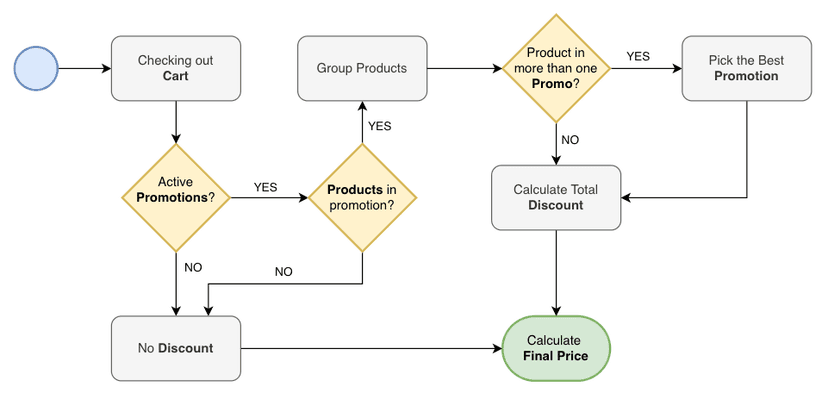
Products are grouped to form the promotions, in some cases the same product can participate in more than one promotion, but only the best promotion will be applied.